The problem a general chatbot cannot solve
Ask a general chatbot about your company’s procedures and one of two things happens. Either it says it does not know, or — worse — it produces a confident answer that sounds right and is not. It has never seen your documents, so it fills the gap with something plausible.
For a business this is the whole difficulty. The knowledge that matters to your customers and staff lives in contracts, rulebooks, price lists, manuals, decisions and old emails. A model trained on the public internet has none of it, and retraining a model on your files is rarely the right answer.
What RAG does, in one sentence
Retrieval-augmented generation adds a step before the answer: first find the passages in your documents that are relevant to the question, then give those passages to the model and ask it to answer from them.
An analogy helps. A general chatbot is a well-read person answering from memory. A RAG assistant is the same person with your archive on the desk, who looks things up before speaking — and can tell you which page the answer came from.
Preparing the documents
Most of the work happens before anyone asks a question. Documents arrive as PDFs, scans, spreadsheets and web pages, and they first have to become clean, readable text. Scanned pages need text recognition; tables and headings need to keep their meaning; duplicates and outdated versions need to be removed or marked.
The text is then split into passages — a paragraph, a clause, a short section. This is called chunking. Passages that are too long carry noise into the answer; passages that are too short lose their context. Each passage keeps a note of where it came from: the document, the page, the date.
Each passage is then turned into an embedding: a list of numbers that represents its meaning. Two passages that talk about the same thing in different words end up close to each other. That is what makes it possible to search by meaning rather than by exact words, and it is stored in a vector database such as pgvector, the one behind Urbano.
Finding the right passages
When someone asks a question, the question is turned into an embedding too, and the system looks for the passages closest to it. Good retrieval rarely stops there: it can combine meaning with ordinary keyword search, filter by document type or date, and rank the results again before anything reaches the model.
Retrieval is where a RAG system succeeds or fails. If the right passage is not found, the best model in the world will answer from the wrong material. Most of the effort in a serious assistant goes here, not into the conversation window.
An answer you can check
The model receives the question together with the retrieved passages and an instruction to answer only from them. A trustworthy assistant then shows its sources: which document, which section. The person reading the answer can open the original and decide for themselves.
Equally important, the assistant must be allowed to say that it does not know. When the documents do not contain an answer, a clear “I could not find this” — and a route to a person — is worth more than a fluent guess.
Two examples from the work
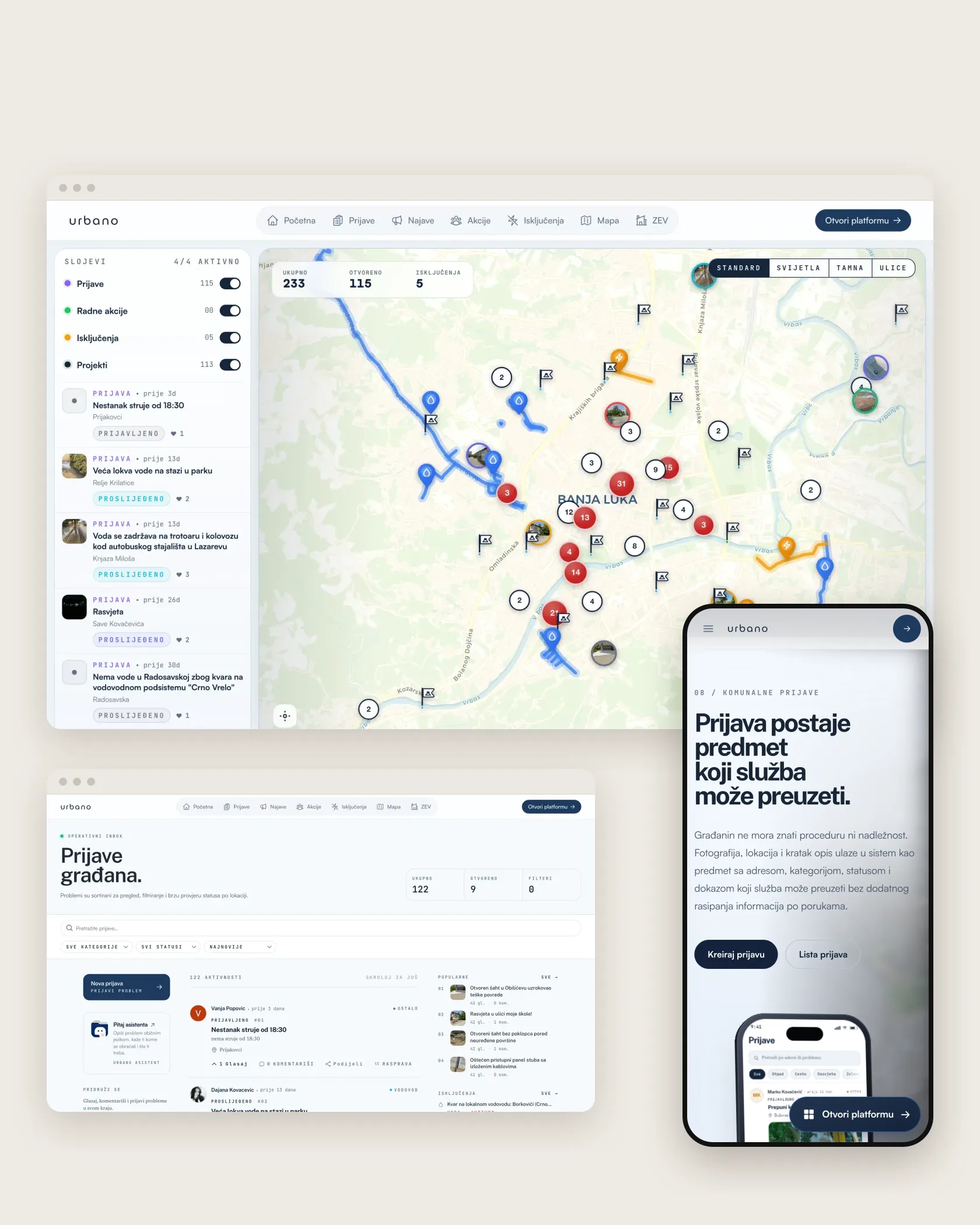
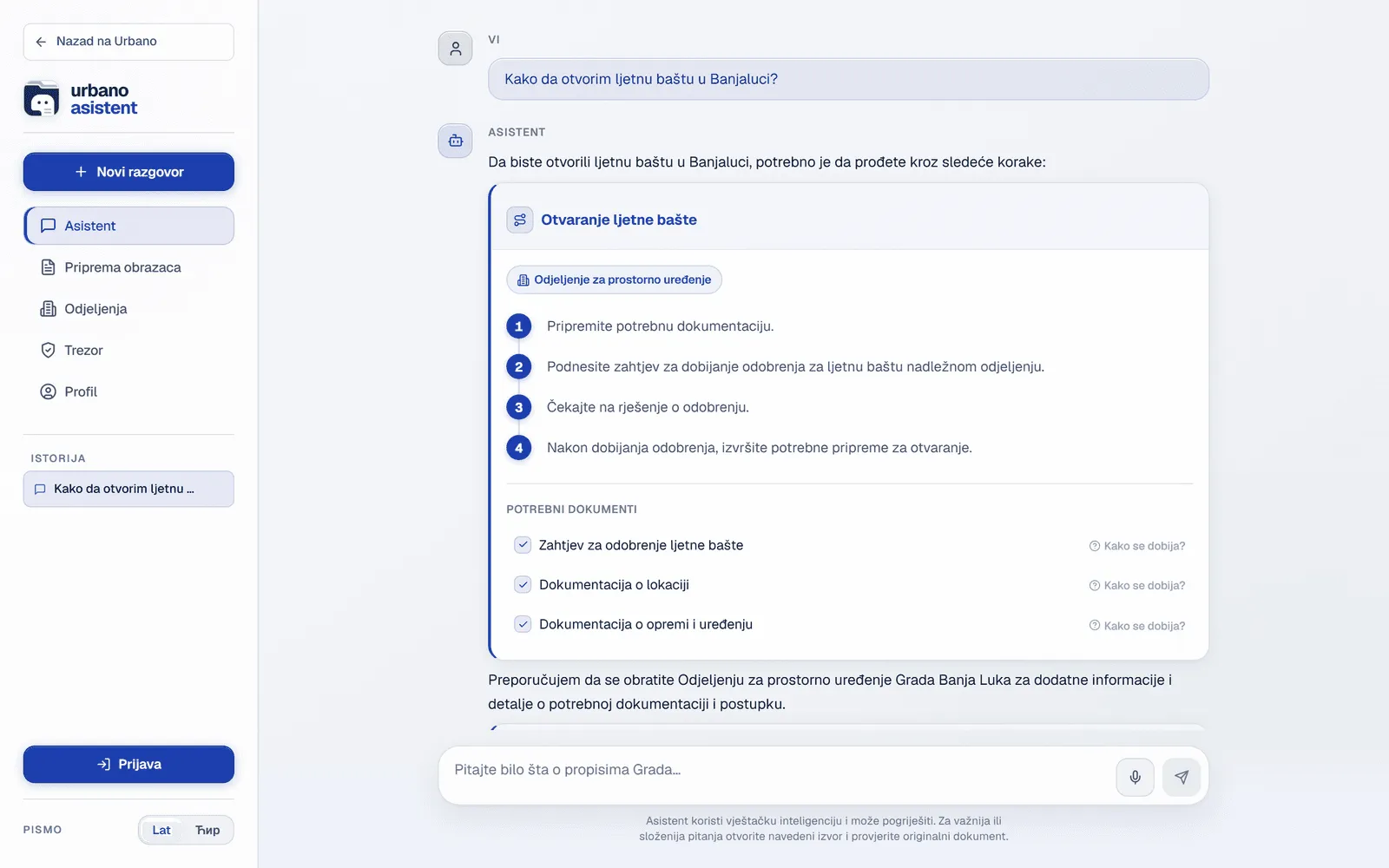
Urbano is a live civic platform for Banja Luka. Its assistant works over 22,300 city documents and sits inside the same product as the citizen app, the administrative console and 143 government forms. A citizen asks in ordinary language; the answer is built from the city’s own sources, and the question can continue into the relevant service.
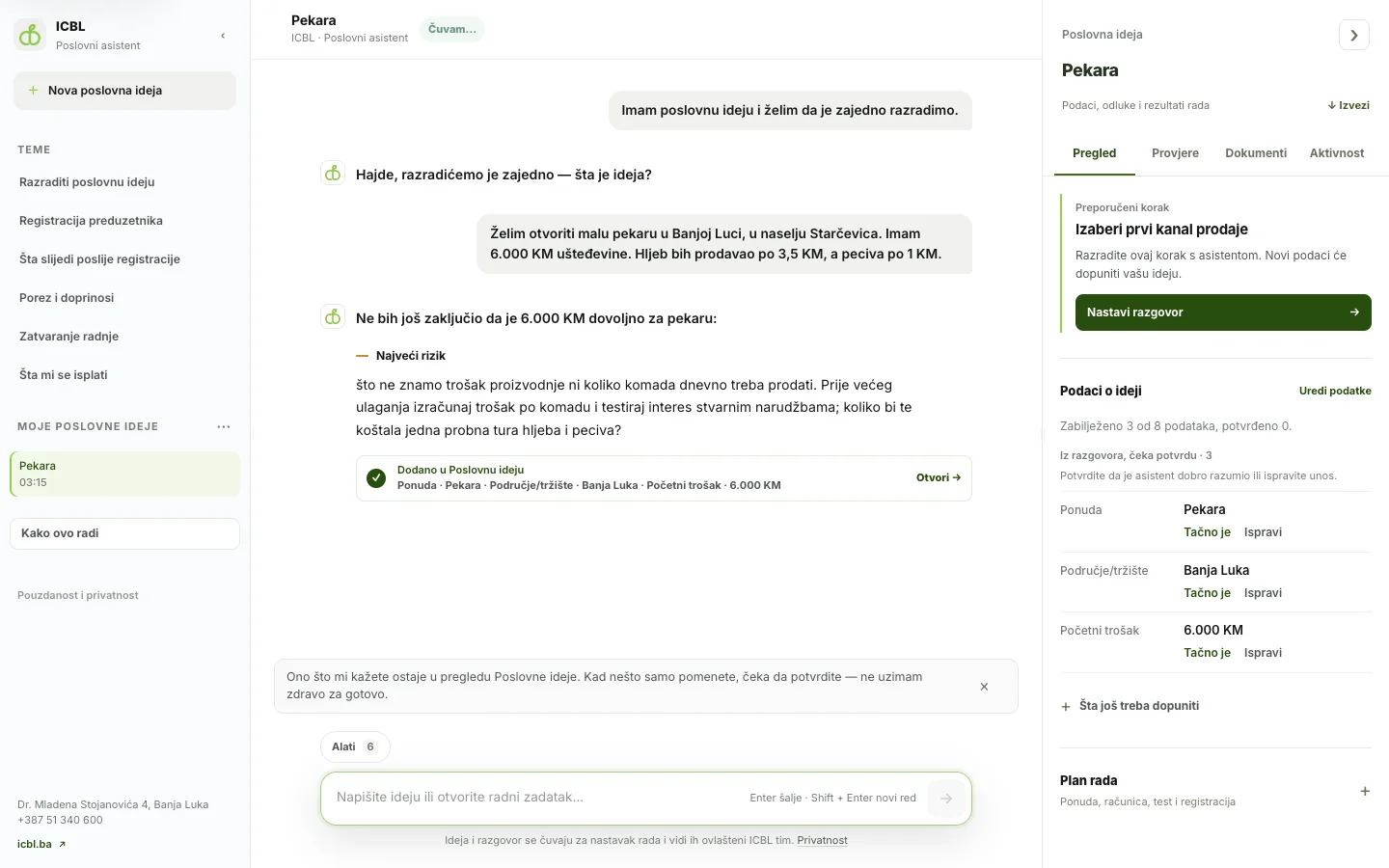
For the Innovation Centre Banja Luka I am building a business assistant that is still in development. Here the job is less about looking up a single fact and more about guiding a conversation: explaining support programmes, walking through company registration and structuring a first business plan. Retrieval still matters, because the programmes have rules the answers must follow.
Retrieval does not have to be text
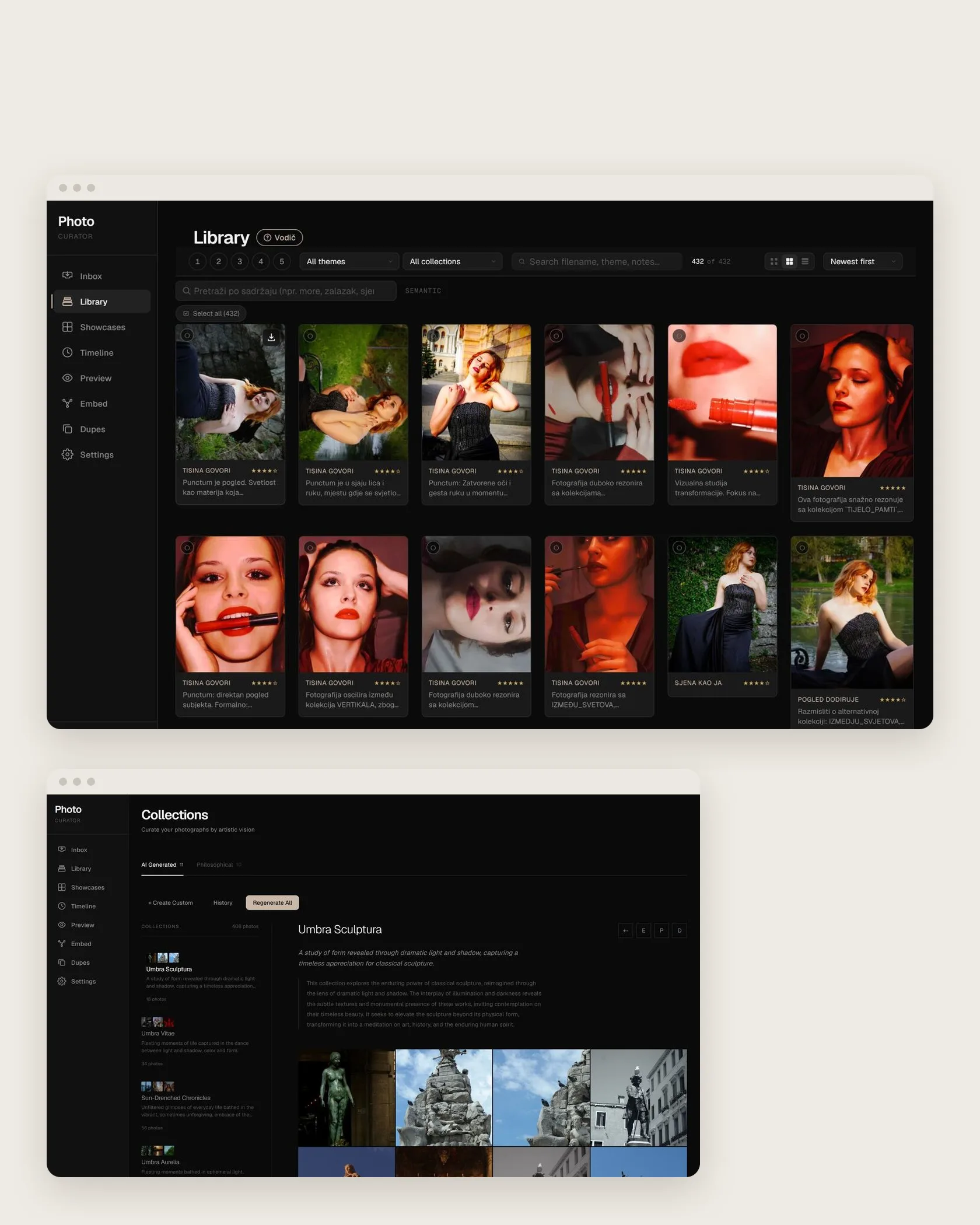
The same idea works for images. Curation Engine, a private product I designed and built, reads a photographic archive through visual and text embeddings. A photographer can search for a mood or a subject in words, find frames that resemble each other and see clusters of related images, and the retrieved photographs become the material for a selection.
The lesson carries over to business documents: what matters is not the chat window but whether the system finds the right material, shows it clearly and leaves the decision to the person.
What the person using it actually sees
An assistant is part of an interface, not a replacement for one. Suggested questions show people what they can ask. Sources open in place, so checking an answer takes one click. When the answer leads to an action — a form, an appointment, a report — the next step should be right there, as it is in Urbano, where information and the 143 government forms live in the same product.
Fallbacks belong to the design too: a clear message when nothing relevant was found, a way to rephrase, and a way to reach a person. These details decide whether people trust the assistant after the first week.
Testing whether it works
An assistant should be tested like any other part of a product. Before launch I collect real questions — the ones staff actually get — together with the answers and sources they should produce, and check retrieval and answers against them. When documents or settings change, the same set is run again.
After launch, the questions people really ask are the best teacher. Unanswered questions show missing documents; wrong answers usually point to a retrieval problem; repeated questions show what should be explained better on the website itself.
Privacy and your documents
Company documents are often confidential. Before building anything it is worth deciding which documents the assistant may use, who may ask it what, and where the data and the model run. An internal assistant for staff and a public assistant for customers usually need different document sets and different permissions.
Personal data deserves particular care: what goes into the index, how long conversations are kept and who can read them are decisions to make at the start, not after launch.
What drives the cost, and when not to build one
The effort depends mostly on the documents: how many there are, how messy they are, how often they change and whether they need text recognition. It also depends on how the assistant is used — by a few staff members or by the public — and on what else it must connect to, such as forms, accounts or a calendar.
Sometimes the honest answer is not to build one. If there are twenty questions with stable answers, a well-written page of answers is faster, cheaper and easier to keep correct. A RAG assistant earns its place when there are many documents, the same questions keep coming back and finding the answer by hand takes real time.
If that sounds like your situation, send me what kind of documents you have, who would ask the questions and what they should be able to do afterwards.